
CareCloud CDP Tutorials
Step-by-Step Guide: Back-to-School Campaign
By Jan Doleček 20. 8. 2026 Tutorials Emailing, Omnichannel, Retail
Back-to-school campaigns only work when they target the right audience at the right time. This tutorial will show you effective email design, custom segmentation, optimizing send times, and campaign analysis.
BACK-TO-SCHOOL BASICS
Every year, during August and September, you have the perfect opportunity to increase revenue quickly: the back-to-school campaign. Still, to create a profitable campaign, you must segment and personalize effectively. Thankfully, CareCloud allows for both.
Our mock brand, “Urban Tees,” sells clothing and accessories (backpacks, cases, etc.), especially urban wear. The back-to-school period is the perfect opportunity to supercharge revenue, sell out last year’s stock, and test the popularity of new products.
The process involves segmentation, email design, and campaign planning.
- We will create several email templates to target different segments, each accompanied by a reminder message.
- We will create SMS campaigns as last-minute reminders at the end of the back-to-school period.
- We will plan the sending of the campaigns, reinforced by the send optimization feature.
EMAIL DESIGN
The basis of our back-to-school campaign is four emails sent to different segments. Since they are mainly special promotions, the messages themselves need to be concise, yet thought-out. Inform customers about the special discount, add a couple of buttons to lead them to the online shop, and include personalized products suitable for each segment.
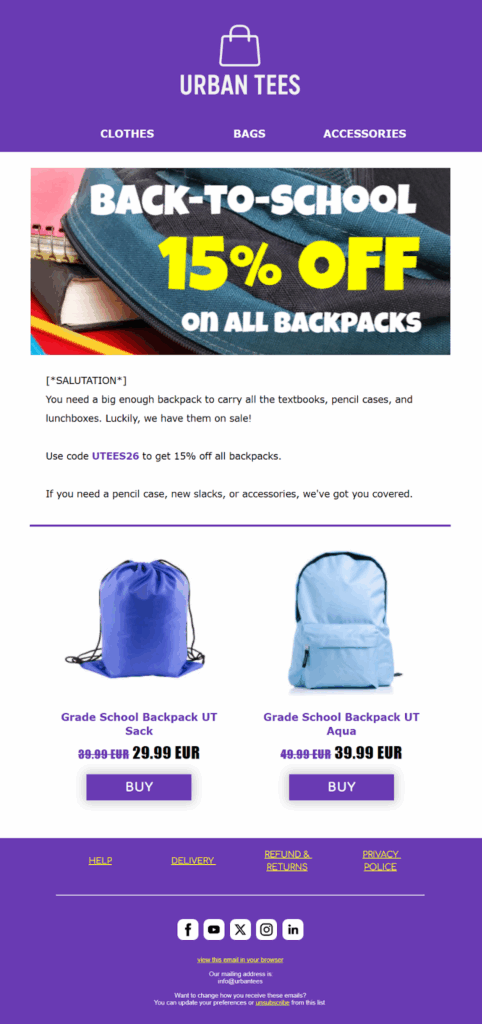
For grade schoolers, we will create a special promotion on backpacks, which is especially important to this segment, as younger students tend to pack more than college students, while not being overly interested in brands.
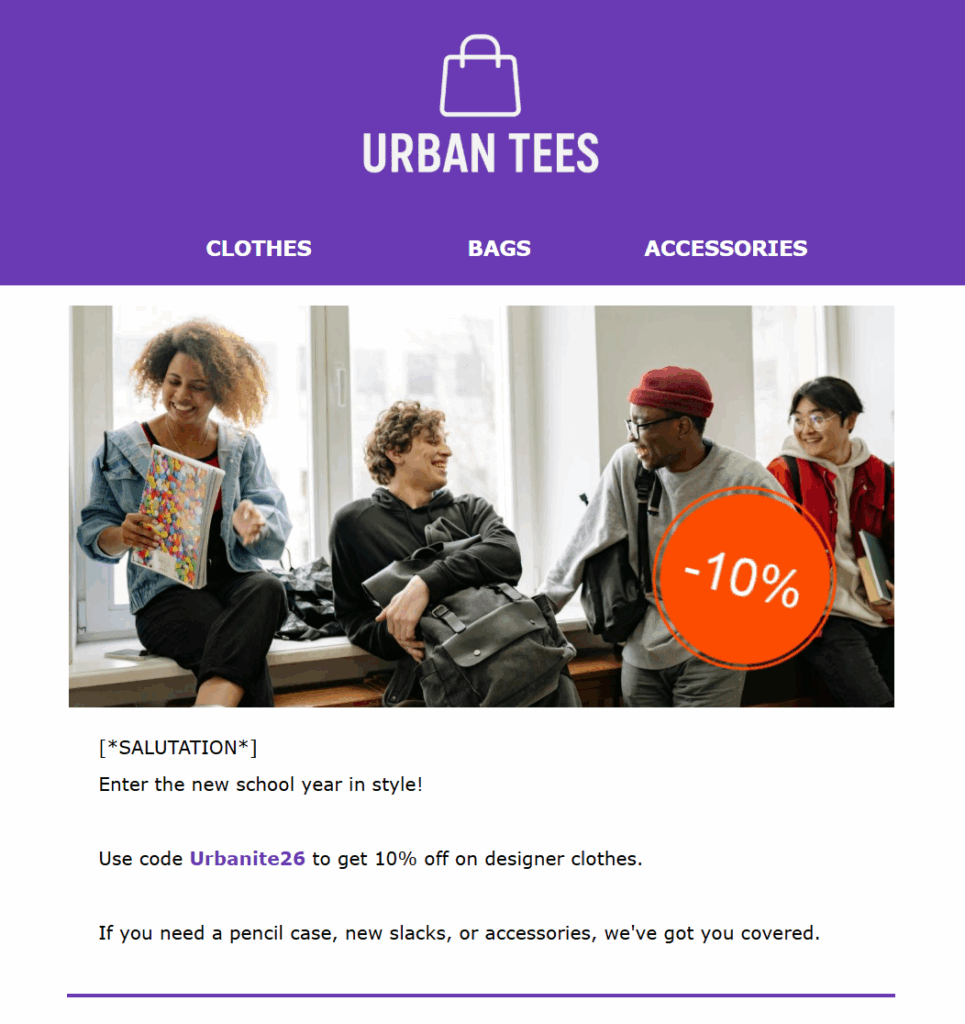
On the other hand, high schoolers start to appreciate fashion brands and give more weight to designer clothing. Some of them also appreciate clothing bundles and accessories, such as designer notepads. The images themselves should highlight the social aspect of school: a group of friends hanging out, for example.
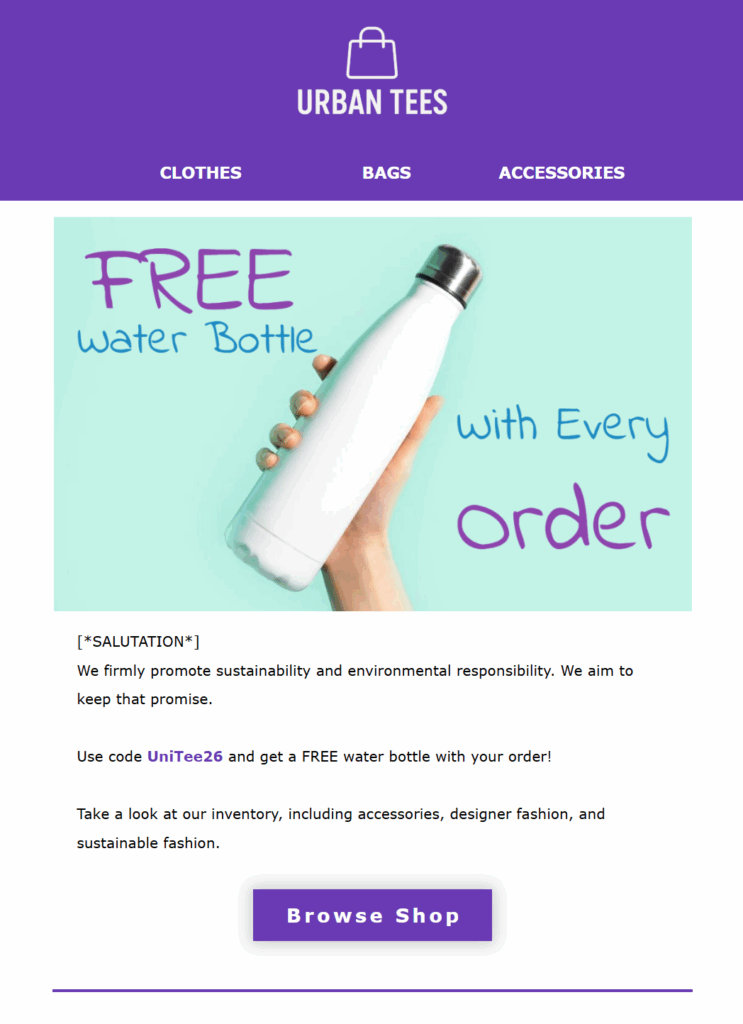
A fairly difficult but appreciative segment is college students. They are far more picky and brand-conscious. Also, most of them replace hefty backpacks with smaller laptop cases. In our case, we offer a free water bottle with purchase to promote a sustainable lifestyle.
The last, typically omitted, segment is teachers. Since it is a proportionally smaller segment, you can offer larger discounts or exclusive gifts to show gratitude for their service.
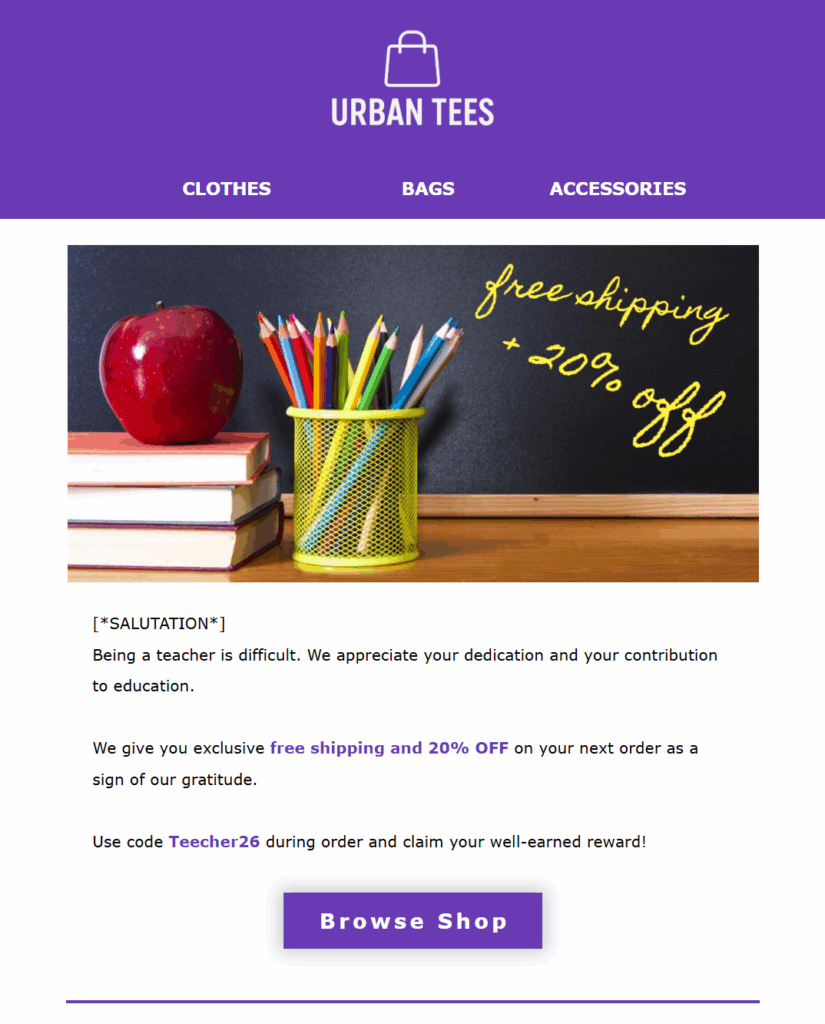
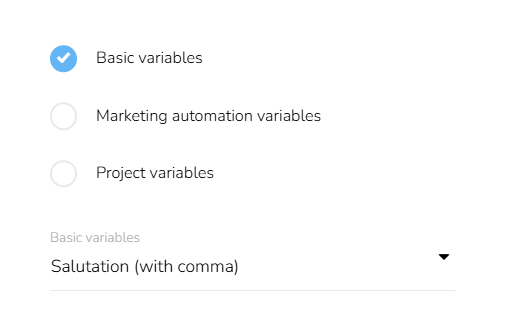
Tip #1: To further personalize messages, begin with custom greetings. In the text field, click on “personalization” and choose from a variety of variables like “greetings.”
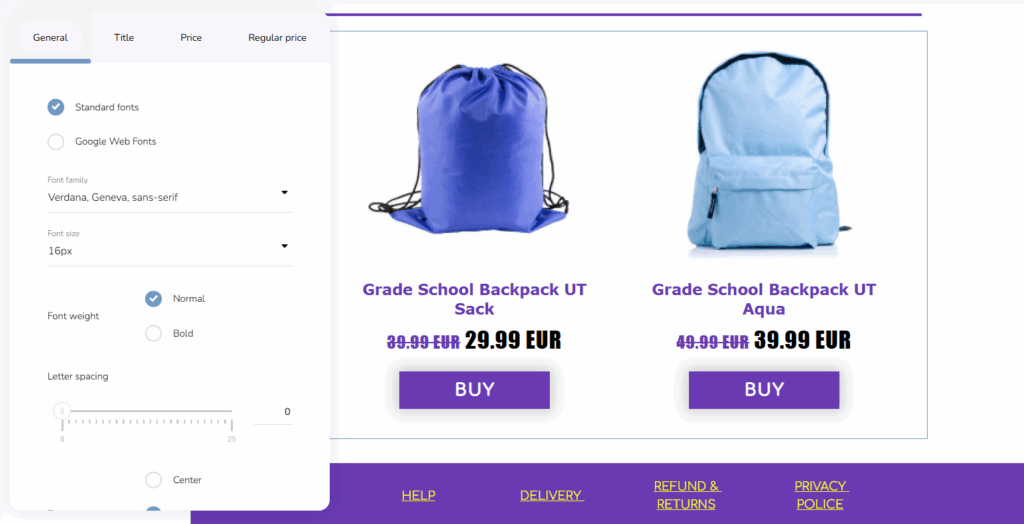
Tip #2: When aiming to promote specific products or give your customers personalized recommendations, use the “Products” block. There, you will display products from your own database, Heureka, or Google feed. You can customize anything from the item description to button design to product layout.
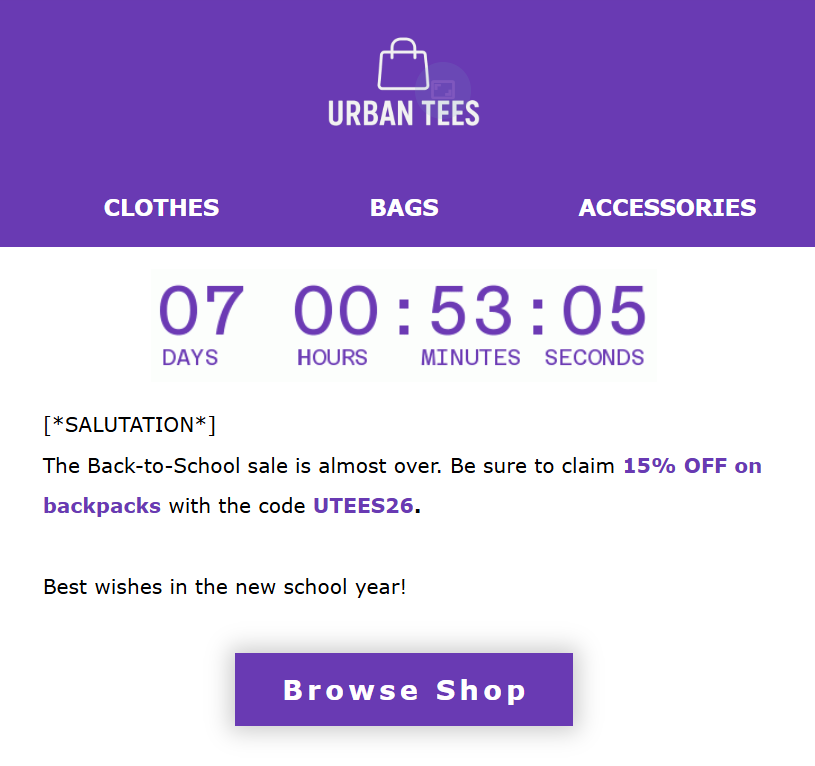
In the next step, we will create email reminders to mark the approaching end of the back-to-school sale. Preferably, create a custom message for each segment. Feed the urgency with a countdown and short messaging.
SMS DESIGN
SMS messages work wonders for short and urgent content, such as flash sales. SMS open rates average over 90% and can quickly engage customers with a short message and a link.
This message will accompany the last email as a flash sale. We need to make short statements, greet your customer, and identify your brand.
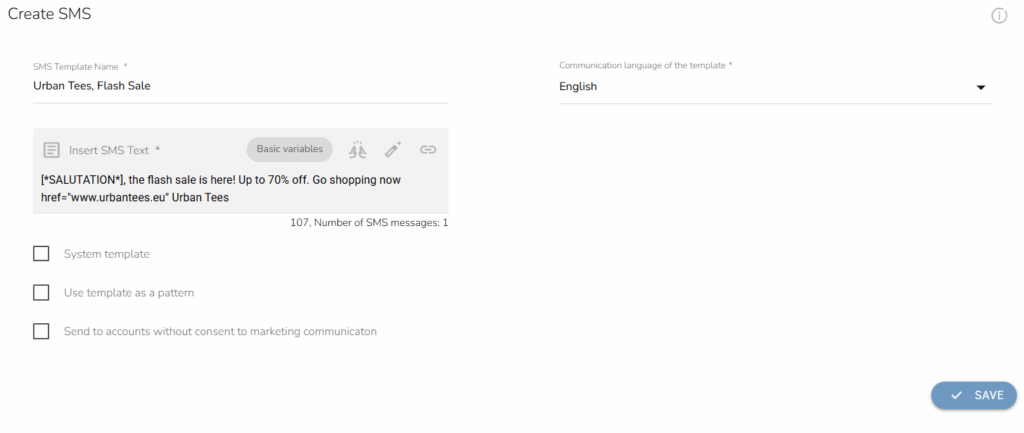
Tip #3: To send links and personalize, use the upper-right symbols (variables, URL shortener). They will allow you to create tailor-made messages and send links with fewer characters.
Word of advice: Always aim for a single message. Under the text field, you may see how many characters and SMS messages will be sent with your campaign. If you want to master SMS campaigns, read our specialized SMS tutorial.
SETTING UP CAMPAIGNS
Now that we have all the necessary templates, it is time to plan the campaigns. Firstly, we need to create audiences for our campaigns. We will create four specific audiences, with the major criteria “Selection of customers by customer segments and badges”. In the drop-down menu, we choose the segment.
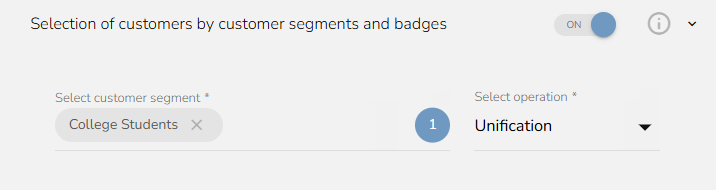
Tip #4: Include more specifications if you want. Send campaigns only to those registered in the loyalty program, limit the audience by their purchase behavior, and more.
After we have created the four major audiences, we will create separate audiences for the “Last Chance” email.
Now we will create campaigns for the different audiences. We choose the appropriate template and postpone the launch to set the days. We will start with Grade School Parents, then follow up with High Schoolers and Teachers, and finally conclude with College Students in September (as universities typically start in October).
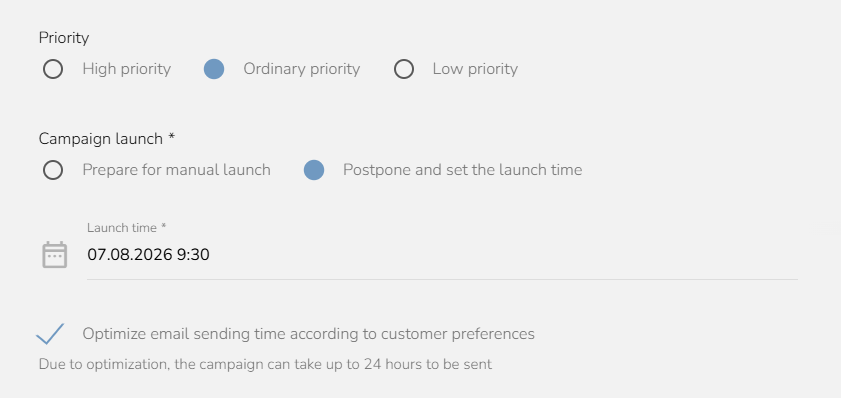
Tip #5: Use the “Optimize email sending time” functionality and send the email at the perfect time of day for each recipient. The tool is based on previous communication and calculates the ideal time to find the optimal spot where customers check and open their emails.
We check the campaign calendar to ensure each campaign is there:
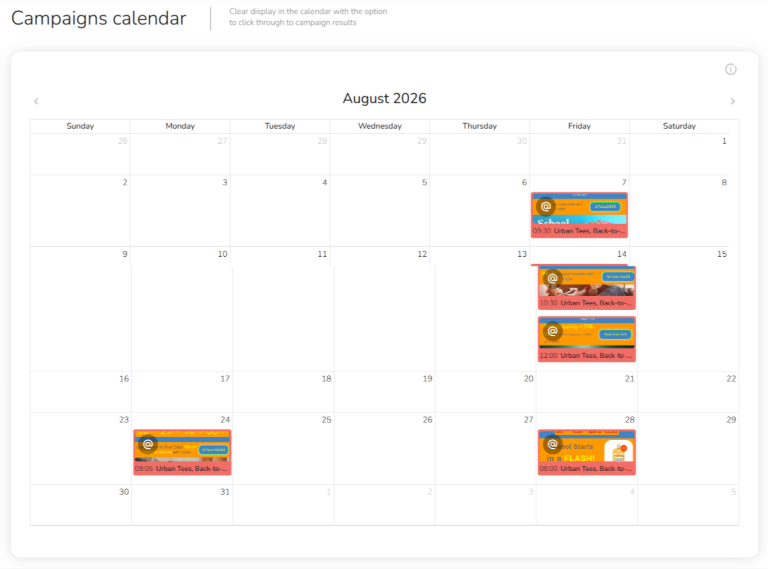
As for the last chance reminder, ensure that send optimization is turned off and set the campaign to launch two days before the start of September.
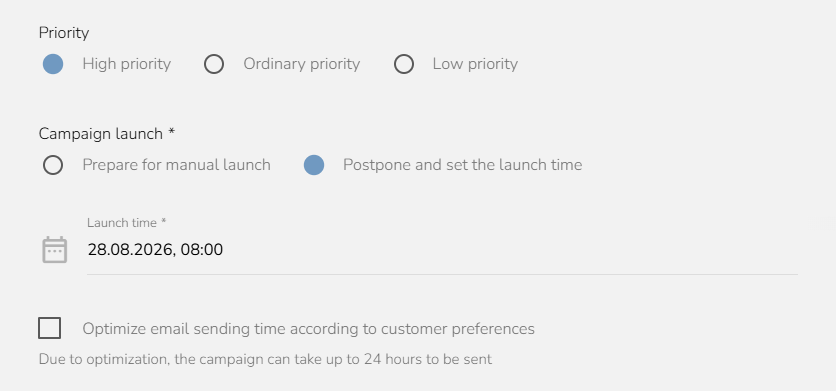
Don’t forget to include the SMS campaign for the last chance, which has its own settings, both for the audience and the campaign.
CARECLOUD CAMPAIGNS GROW YOUR BRAND
Setting up campaigns in CareCloud is easy and intuitive once you know where to look. Our Email Designer lets you create personalized messages down to the last detail, with extensive customization options, handy tools, and AI features.
You can then further personalize with wide segmentation possibilities, optimize send times, or set up unique rewards. And that’s only part of what CareCloud provides: What about automation, loyalty management, weblayers, analyses, or omnichannel communication? With these tutorials, we guide you every step of the way to ensure your marketing growth. Stay tuned for more.
RECOMMENDED
What is hot?
Engage customers while they browse your website or online shop, and personalize…
A New Core App: Web Overlays Our brand-new app will completely transform…
Marketing and psychology go hand in hand. To drive retention and boost…
Back-to-school campaigns only work when they target the right audience at the…
We’ve made top-tier marketing tools available for even the smallest e-commerce store.…