
CareCloud CDP Tutorials
Design an Unforgettable Anniversary Reward with CareCloud
By Jan Doleček 19. 1. 2026 Tutorials Automation, Emailing, Loyalty, Omnichannel
Boost average order value and retention rate with an automated Anniversary Reward. Personalize the reward by using loyalty data and CareCloud apps. Our in-depth tutorial guides you through the entire process on the CareCloud platform, from email templates to rewards and automated logic.

REWARD LOYAL CUSTOMERS
How do you boost customer loyalty besides the usual “Happy Birthday” or “Name Day” campaigns? Try the so-called “Anniversary Day” campaign, which commemorates the day a customer registered in a loyalty program. This is especially useful when customers don’t disclose their birthdays.
These easy-to-make campaigns can be entirely designed and automated using CareCloud. To illustrate, we created an entire Anniversary Day campaign for our mock brand, the bookseller LitHaven, designed for customers who had registered in Bookworm’s loyalty program. Depending on their membership status (Apprentice or Savant), customers receive a complimentary discount to boost sales and build loyalty.
The process has multiple steps:
- email design for the different statuses, along with reminders and “last chance” messages
- SMS design for a “last chance” message to accompany the email
- voucher creation for each membership status
- automation logic combining all the previous elements in a workflow
EMAIL DESIGN
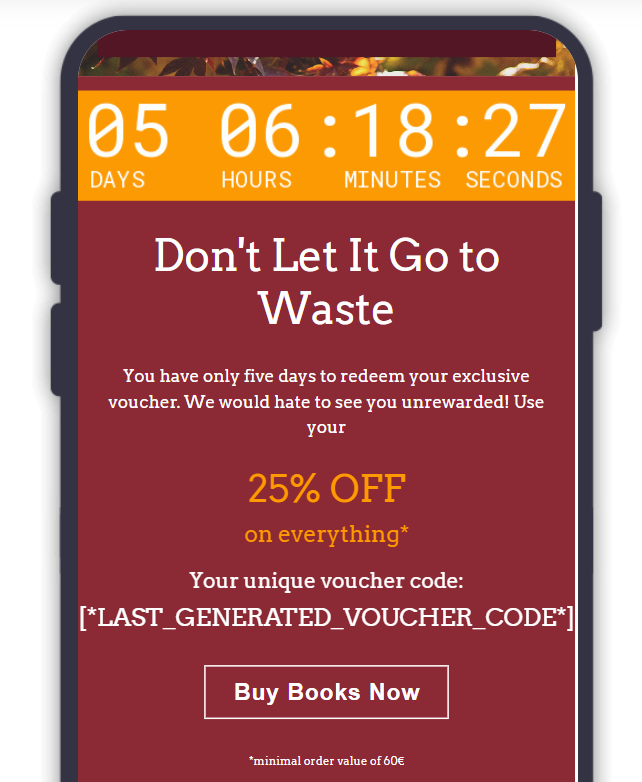
Firstly, we create two email templates: “Anniversary Apprentice” and “Anniversary Savant” for each membership segment. The emails include a short message commemorating the customer’s anniversary of registration in the Bookworm program.
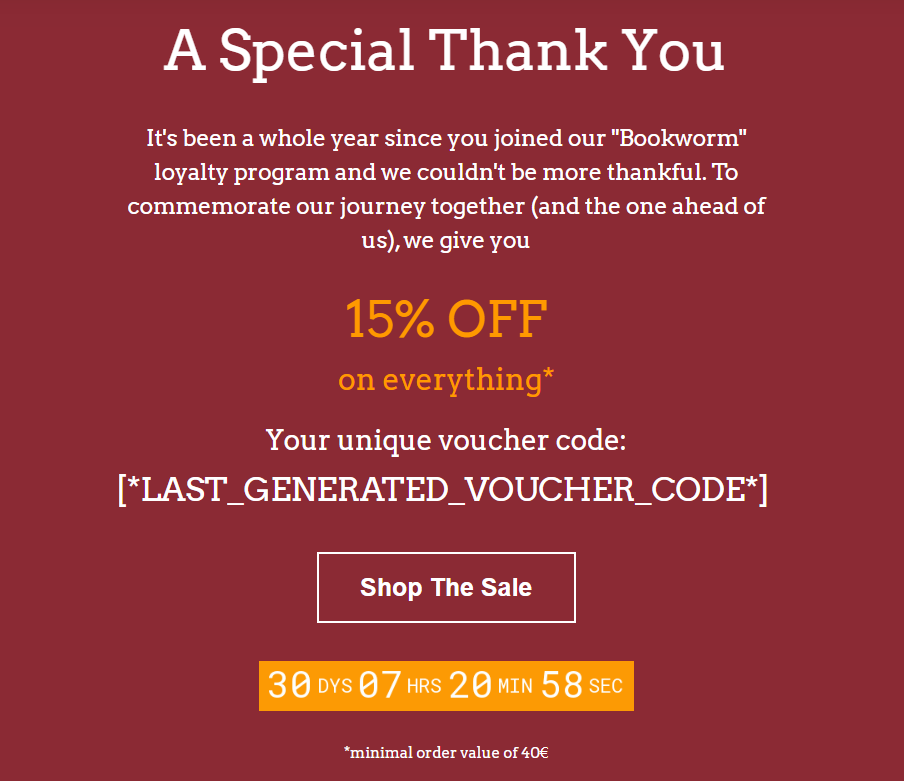
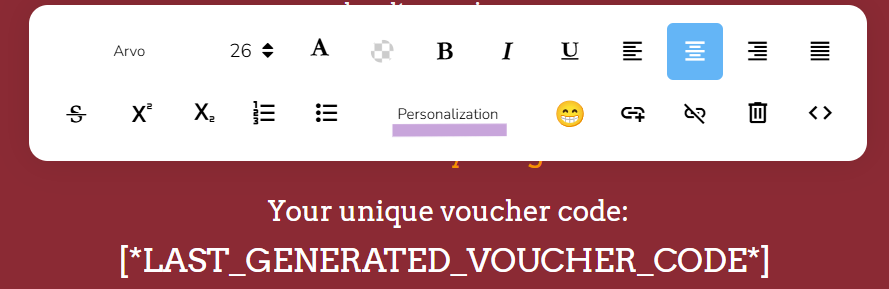
We will also include the voucher information with highlighted discount percentage, the countdown to the voucher expiration, and the minimum order value to redeem it. To display the exclusive code, use the “personalization” button in the text editing tools.
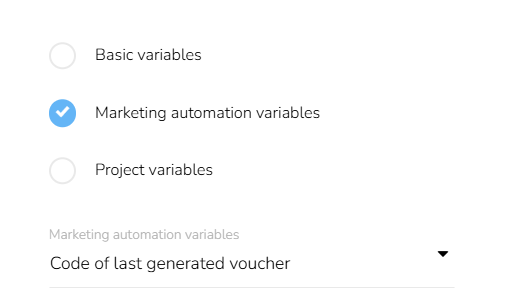
Then choose “Marketing automation variables,” “Vouchers,” and finally “Code of the last generated voucher” from the drop-down menus.
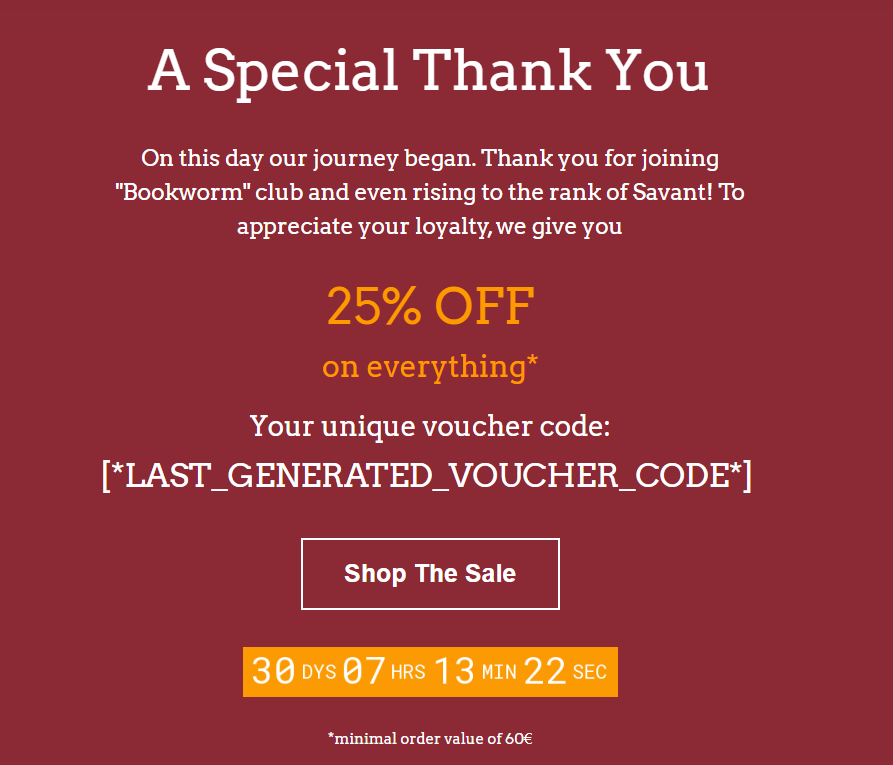
We will create the other template very similarly, only with an altered text and the appropriate information.
Tip #1: When creating templates, optimize for smaller screens. CareCloud has a preview mode that lets you see how the email displays on mobile phones.
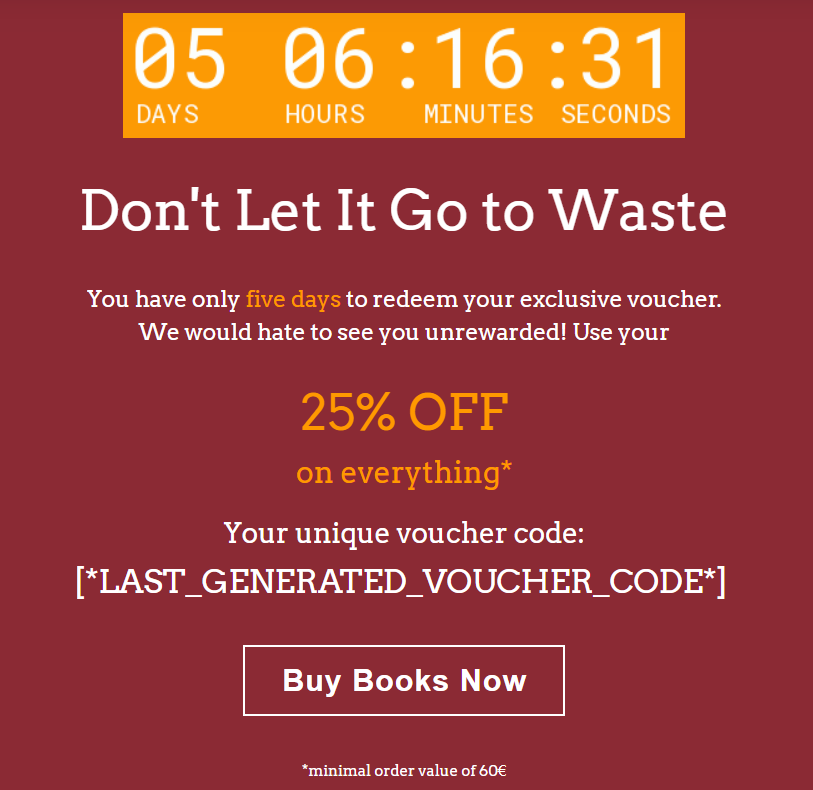
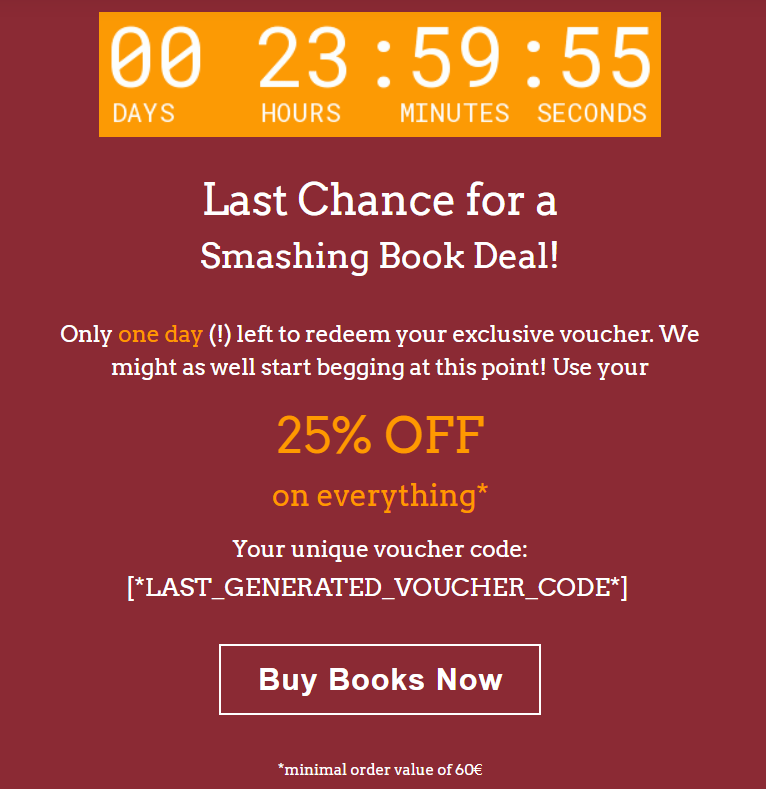
In the next step, we will create templates for email reminders and “Last Chance” messages, which are sent 5 days and 1 day before the voucher expires. In these, we highlight the countdown to leverage urgency.
 |  |
In the next step, we look at the SMS template to accompany the email.
SMS DESIGN
In this section, we will create a reminder SMS message to be sent with the “Last Chance” Email. While writing the text, we will use shortened URLs and variables to personalize the message.
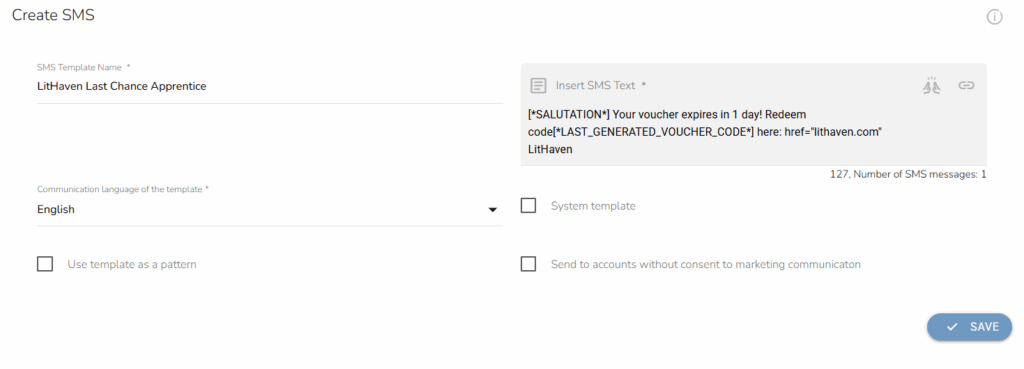
Be sure to include greetings, identify your brand, and send a link to the online store for the customer’s comfort. The numbers under the text window indicate the number of characters and, in extension, the number of messages the SMS campaign will contain. Since it’s best to send only one message (due to costs), always aim for the shortest possible text.
REWARD SETTINGS
Before we launch the automation, we will set up individual rewards. We will head over to Loyalty & Administration, Loyalty settings, Rewards/vouchers, and finally Campaign rewards. Here we will set the required criteria.
We set up the rewards to apply only to “LitHaven” products and a specific number of products.
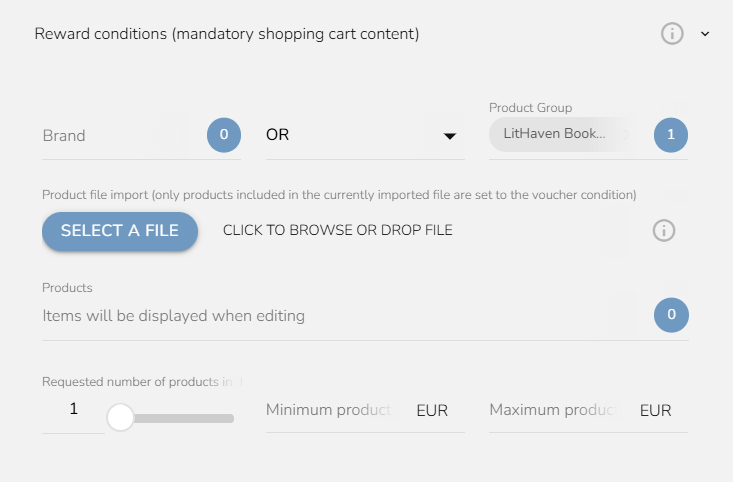
Now that we have the required products, we will set other conditions. For the “Apprentice” customers, we will set a 15% discount, and for “Savant” customers, a 25% discount. Since the Savant discount is quite high, we will set a larger minimum purchase value of 60€ as opposed to the Apprentice’s 40€.
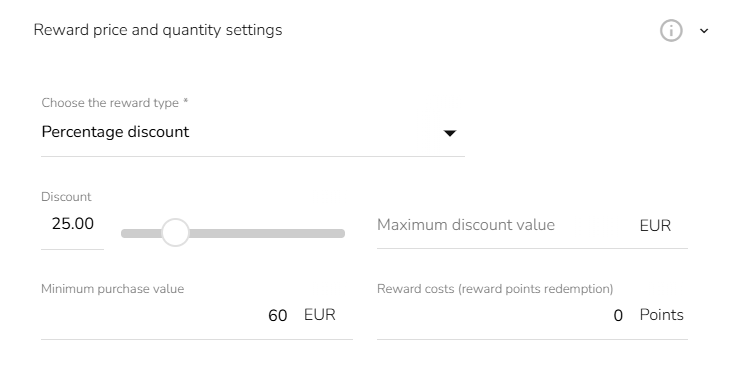
Finally, we will set the validity of the reward voucher to 30 days from the assignment date. Be sure to include the same validity in the emails’ countdowns (or use the variable in the countdown settings).

Now, we have two reward vouchers. It is time to put everything into one automation workflow.
AUTOMATION LOGIC
The purpose of the automation is to check whether customers registered on this particular day, send them a reward, and remind them via email and SMS that their voucher will expire if they don’t make a purchase. The final workflow looks like this:
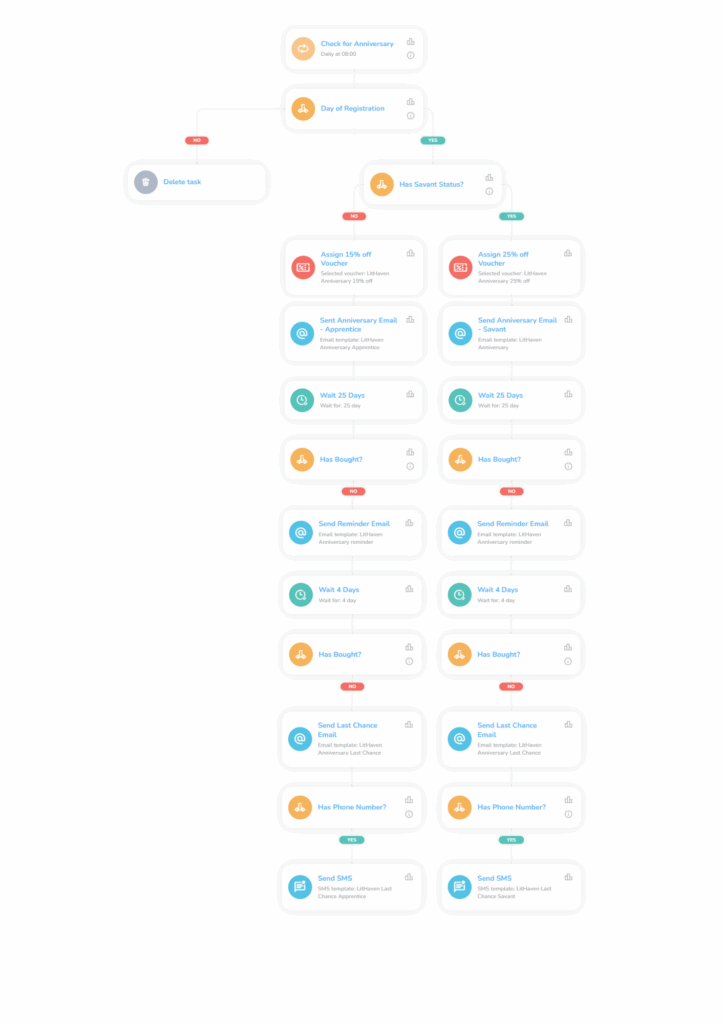
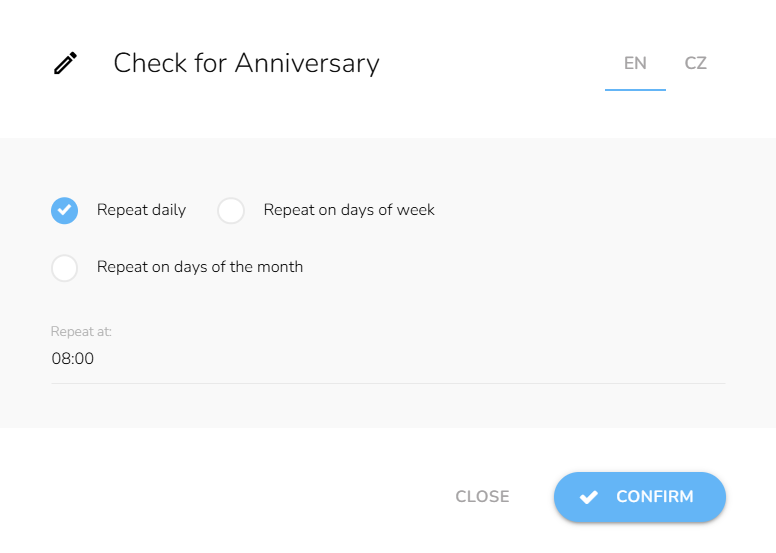
First, we will use the Repeat trigger, set to run every day at 8:00 AM.
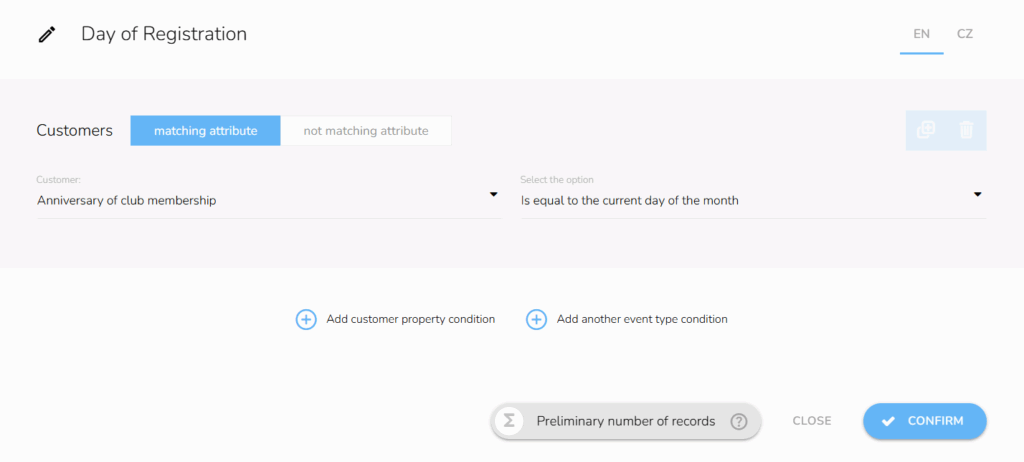
Immediately after, we will include the customer attribute condition “Anniversary of club membership” and set it to the current day. This will ensure that it is indeed the customer’s anniversary since every registered customer automatically enters the “Apprentice” status.
Next, we must verify whether the customer is a Savant member. We include a customer property condition.
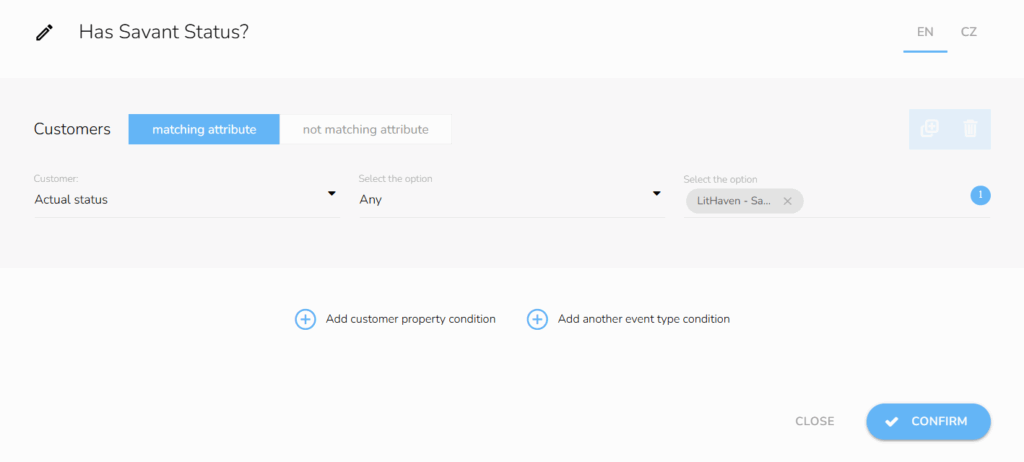
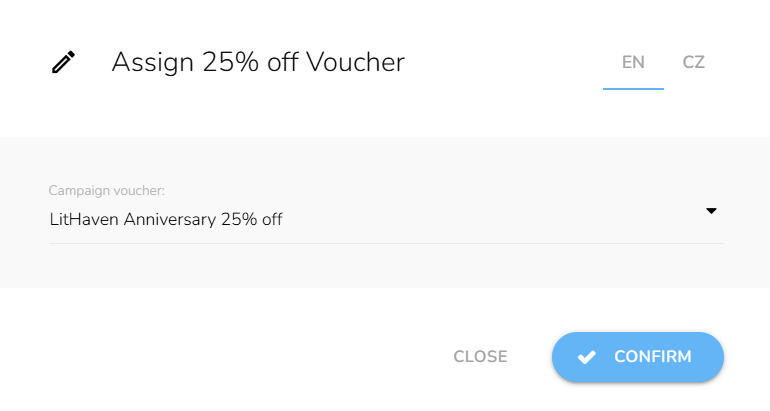
If the customer is not a Savant, they are an Apprentice and will receive the appropriate communication and reward. Before sending emails, include an Assign Voucher node and double-check whether you chose the correct reward in the respective branch.
After distributing rewards, send the appropriate email to the respective branch. Then set up a 25-day waiting period. We do not have to set a “waiting for time range” since the workflow only triggers at 8 am.
Tip #2: If you do not want your emails sent on weekends, use the “Wait for time range” node to specify which days and hours should be excluded. Some brands send communications only on workdays to target customers during or immediately after work, while others also send on weekends during customers’ free time.
Now, we will set a customer event condition for each branch to determine whether a customer has redeemed the voucher after 25 days. Use the relative period type and set it to 25 days to count only the time since the voucher assignment. The safest way is to use the “Applying a voucher” event type and choose the relevant voucher from the drop-down menu.
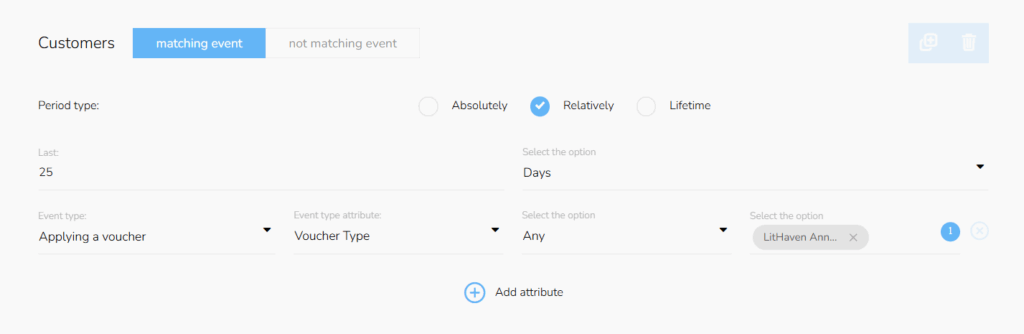
If the customer does not buy, we will send the “LitHaven Anniversary Reminder” email to each branch. Afterward, we will follow the same process, but set the waiting period to four days. Don’t forget to set the same relative period type in the conditions settings.
If the customers still don’t buy, we will send both the “LitHaven Anniversary Last Chance” email and the SMS we designed earlier.
With the last pair of messages, we will conclude the workflow. See you next year!
SAVE TIME AND MONEY WITH CARECLOUD AUTOMATIONS
We successfully automated anniversary rewards in a few hours with a short automation. These automations build customers’ loyalty, CLV, and purchase frequency. CareCloud data shows that, on average, 24% of customers redeem these rewards.
Retention marketing depends on automation and personalized communication. This tutorial showed only a fraction of what our platform is capable of. Create personalized campaigns, your own loyalty programs, or complex omnichannel experiences. We are capable and more than happy to give you the tools you need.
RECOMMENDED
What is hot?
Emailing remains one of the most powerful ways for travel agencies to…
Engage customers while they browse your website or online shop, and personalize…
A New Core App: Web Overlays Our brand-new app will completely transform…
Marketing and psychology go hand in hand. To drive retention and boost…
Back-to-school campaigns only work when they target the right audience at the…