
CareCloud CDP Tutoriály
Tvořte nezapomenutelné odměny k výročí s CareCloud
Autor: Jan Doleček 19. 1. 2026 Tutoriály Zabudovaná automatizace, Emailing, Loyalty, Omnichannel
Zvyšte průměrnou útratu a míru retence pomocí automatizace výročních odměn. Personalizujte odměny s pomocí zákaznických dat a aplikací CareCloud. Náš podrobný tutoriál vás provede celým procesem od e-mailových šablon po tvorbu odměn a automatizační logiky.

ODMĚŇTE VĚRNÉ ZÁKAZNÍKY
Jak zvýšit loajalitu zákazníků kromě ohraných kampaní typu „Všechno nejlepší k narozeninám“? Vyzkoušejte kampaň k výročí, která připomíná den, kdy se zákazník zaregistroval do věrnostního programu. Kampaň je užitečná hlavně proto, že nevyžaduje zákazníkovo datum narození.
Tuto kampaň lze zcela navrhnout a automatizovat v CareCloud. Pro ilustraci jsme vytvořili celou kampaň fiktivní značky – knihkupectví “LitHaven” – určenou pro zákazníky, kteří se zaregistrovali do věrnostního programu “Knihomol”. Podle své aktuální úrovně členství (Novic nebo Učenec) zákazníci obdrží unikátní slevu, která motivuje k nákupu a buduje loajalitu.
Proces má několik kroků:
- design e-mailů pro různé úrovně členství, spolu s připomínkami a zprávy typu „poslední šance“
- design SMS zprávy „poslední šance“, která bude zaslána společně s e-mailem
- vytvoření voucherů pro obě úrovně členství
- automatizační logika kombinující všechny předchozí prvky v jednom scénáři
NÁVRH E-MAILOVÝCH ŠABLON
Nejprve vytvoříme dvě e-mailové šablony: „Výročí Novic“ a „Výročí Učenec“. E-maily obsahují krátký text připomínající výročí registrace zákazníka do programu Knihomol.
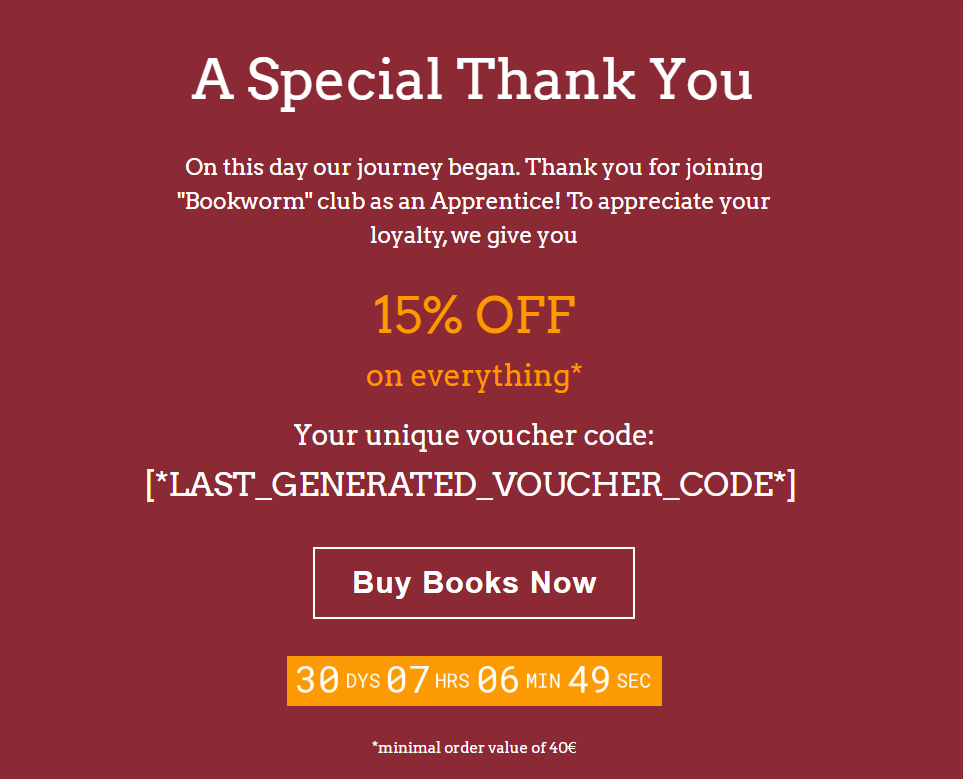
Zahrneme také informace o voucheru s vyznačenou procentuální slevou, odpočítáváním do vypršení platnosti voucheru a minimální hodnotou objednávky pro jeho uplatnění. Chcete-li zobrazit exkluzivní kód, použijte tlačítko „personalizace“ v nástrojích pro úpravu textu.
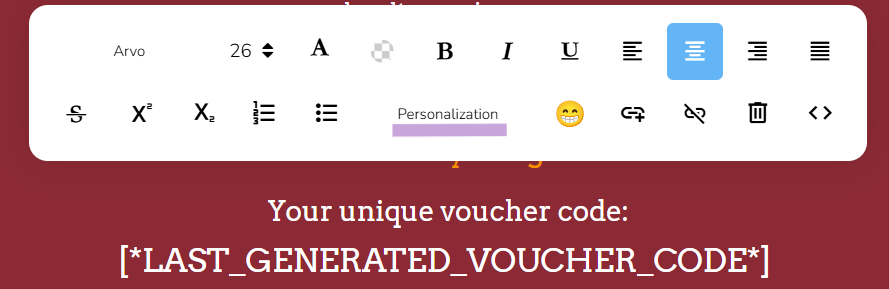
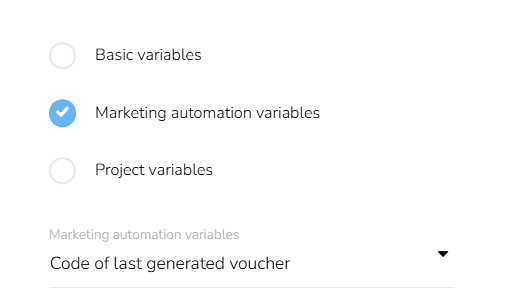
Poté z rozevíracích nabídek vyberte „Proměnné marketingové automatizace“, „Vouchery“ a nakonec „Kód posledního vygenerovaného voucheru“.
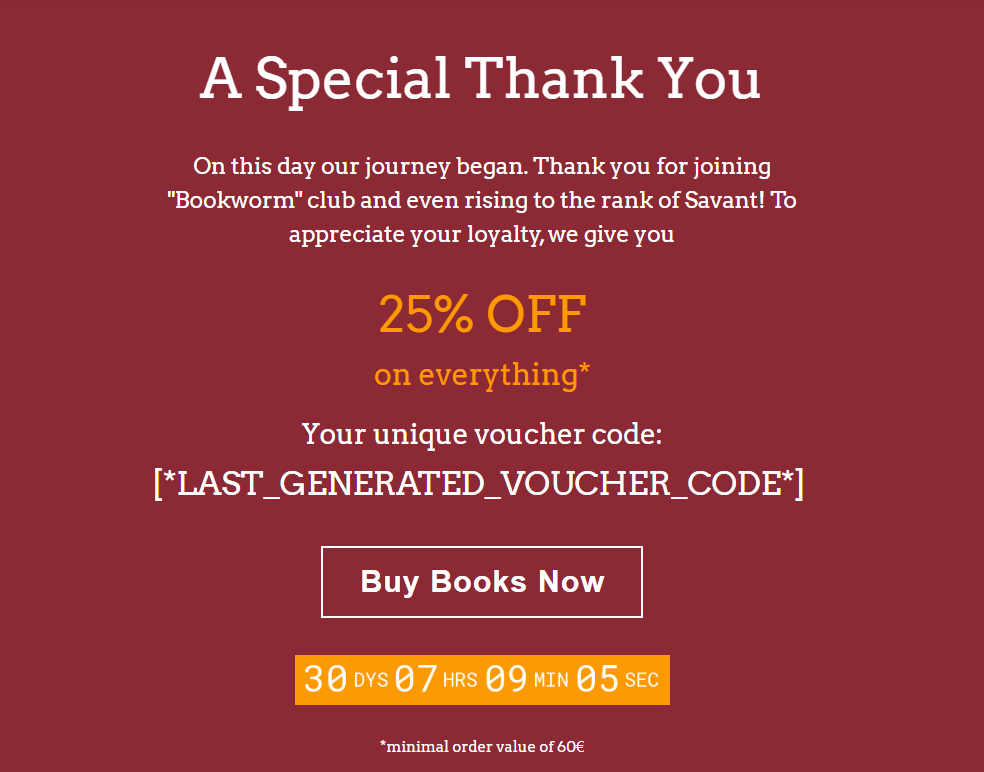
Druhou šablonu vytvoříme velmi podobným způsobem, pouze s pozměněným textem a příslušnými informacemi.
Tip č. 1: Při vytváření šablon optimalizujte pro menší obrazovky. CareCloud má režim náhledu, který vám umožní zobrazit, jak bude e-mail vypadat na mobilních telefonech.
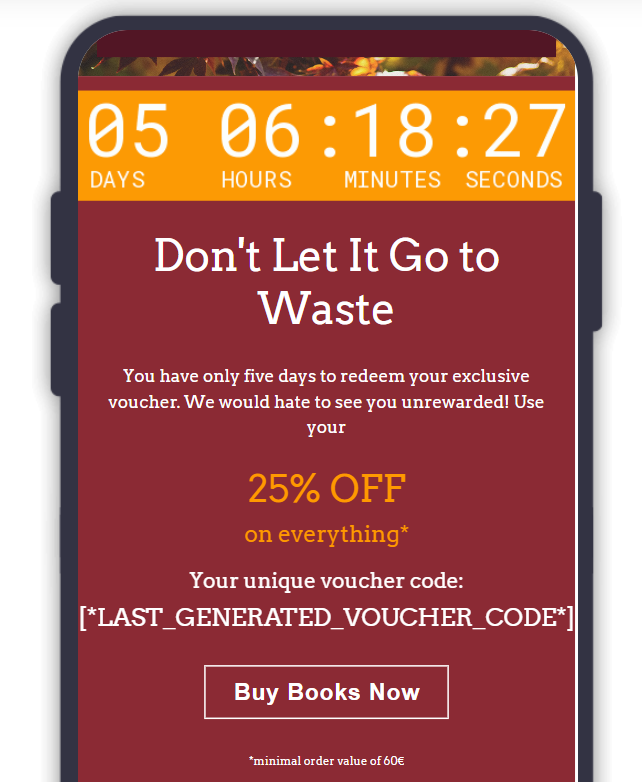
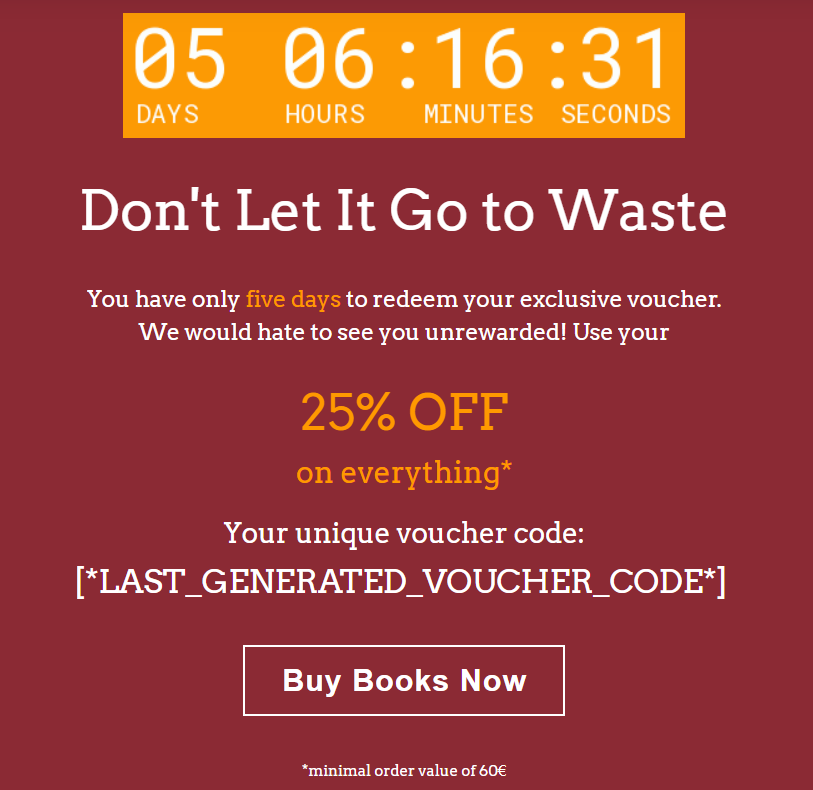
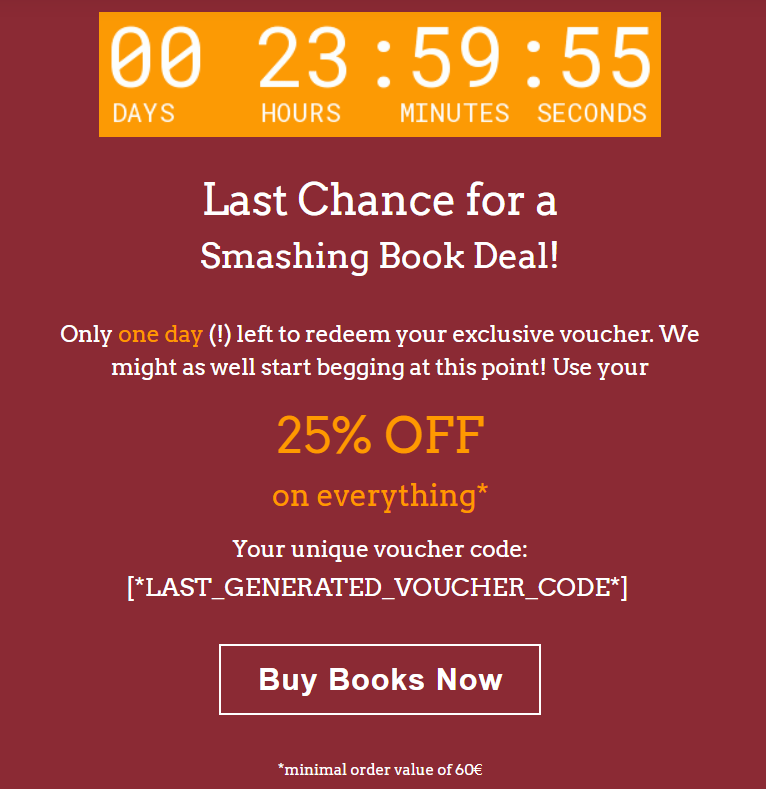
V dalším kroku vytvoříme šablony pro e-mailová upomínky a zprávy typu „Poslední šance“, které se odesílají pět a následně jeden den před vypršením platnosti poukazu. V těchto zprávách zvýrazníme odpočítávání, abychom vyznačili naléhavost situace.
 |  |
V dalším kroku se podíváme na šablonu SMS, která bude doprovázet e-mail.
NÁVRH SMS ZPRÁV
In this section, we will create a reminder SMS message to be sent with the “Last Chance” Email. While writing the text, we will use shortened URLs and variables to personalize the message.
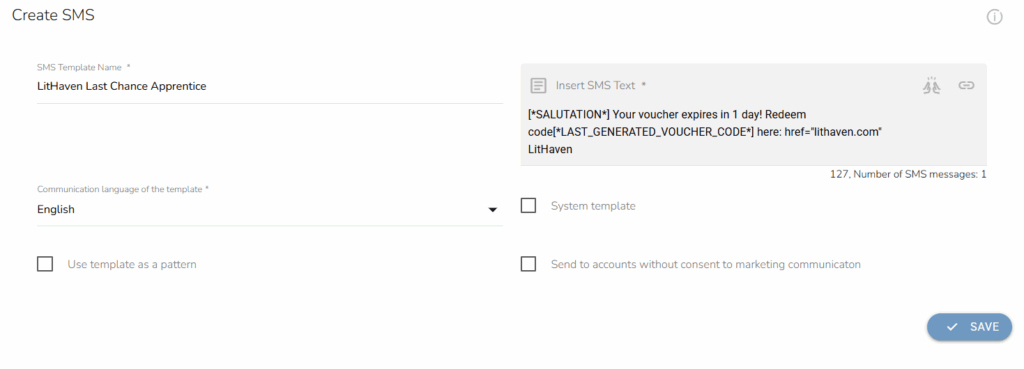
Be sure to include greetings, identify your brand, and send a link to the online store for the customer’s comfort. The numbers under the text window indicate the number of characters and, in extension, the number of messages the SMS campaign will contain. Since it’s best to send only one message (due to costs), always aim for the shortest possible text.
REWARD SETTINGS
Before we launch the automation, we will set up individual rewards. We will head over to Loyalty & Administration, Loyalty settings, Rewards/vouchers, and finally Campaign rewards. Here we will set the required criteria.
We set up the rewards to apply only to “LitHaven” products and a specific number of products.
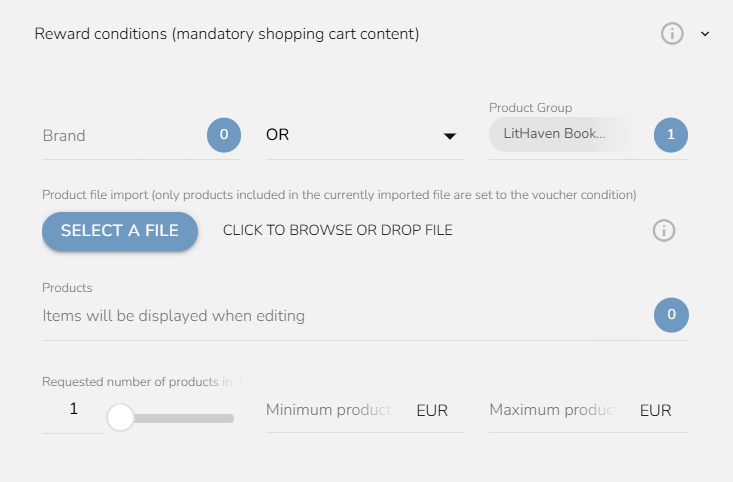
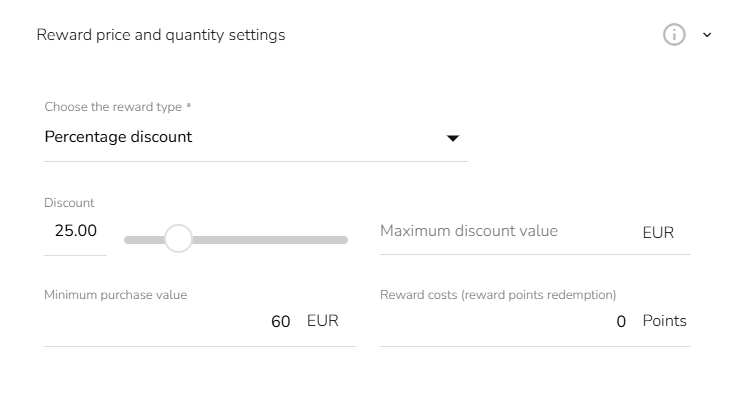
Now that we have the required products, we will set other conditions. For the “Apprentice” customers, we will set a 15% discount, and for “Savant” customers, a 25% discount. Since the Savant discount is quite high, we will set a larger minimum purchase value of 60€ as opposed to the Apprentice’s 40€.
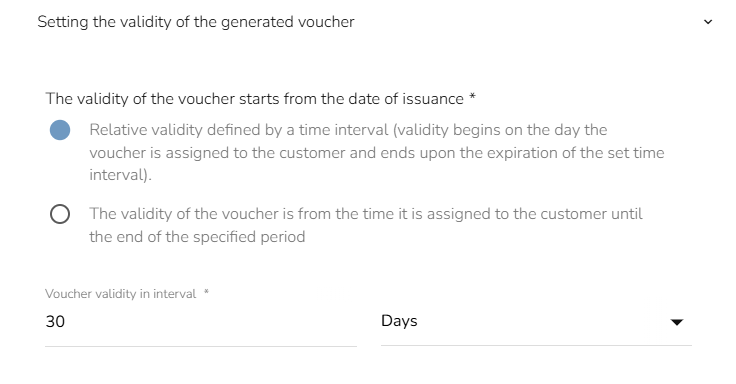
Finally, we will set the validity of the reward voucher to 30 days from the assignment date. Be sure to include the same validity in the emails’ countdowns (or use the variable in the countdown settings).
Now, we have two reward vouchers. It is time to put everything into one automation workflow.
AUTOMATION LOGIC
The purpose of the automation is to check whether customers registered on this particular day, send them a reward, and remind them via email and SMS that their voucher will expire if they don’t make a purchase. The final workflow looks like this:
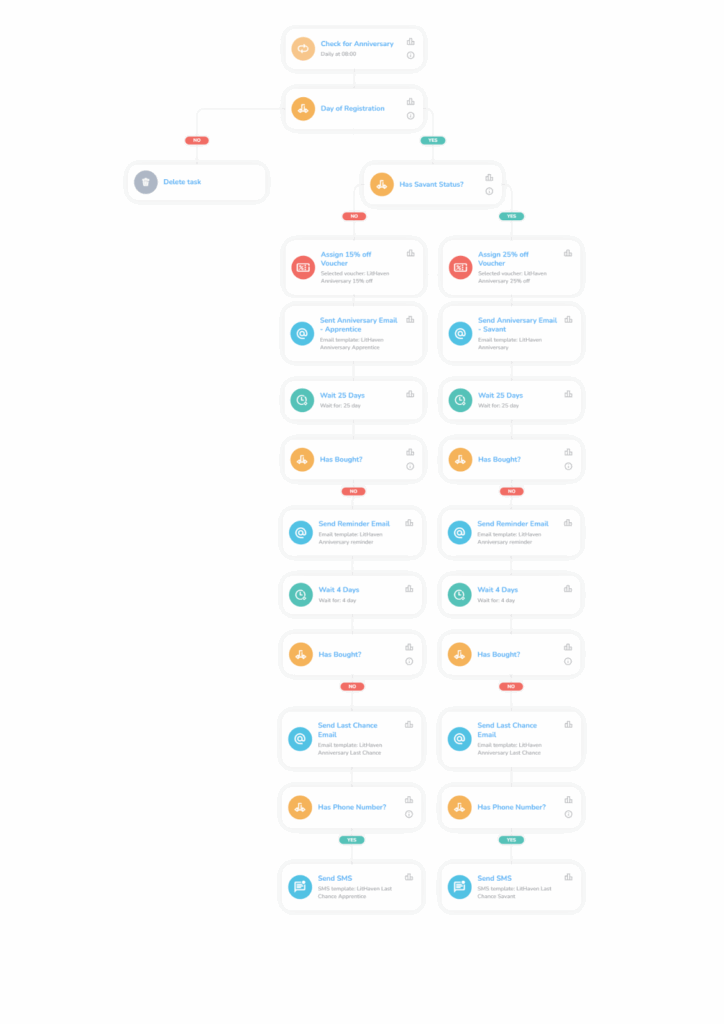
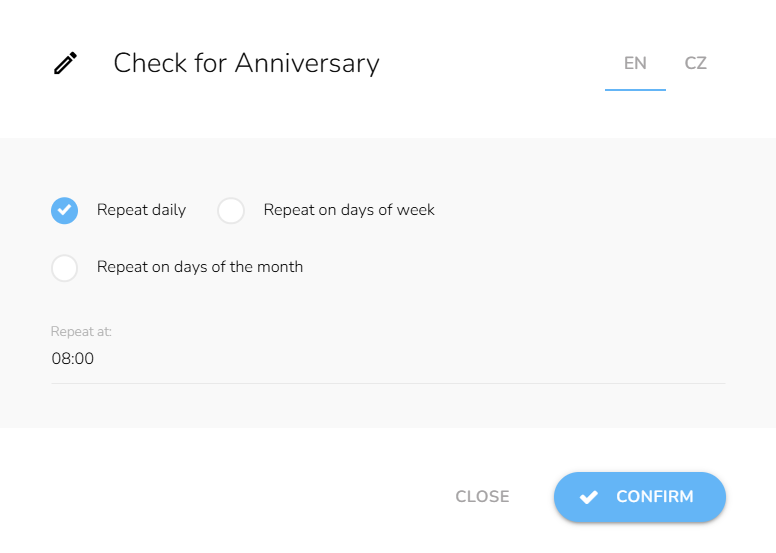
First, we will use the Repeat trigger, set to run every day at 8:00 AM.
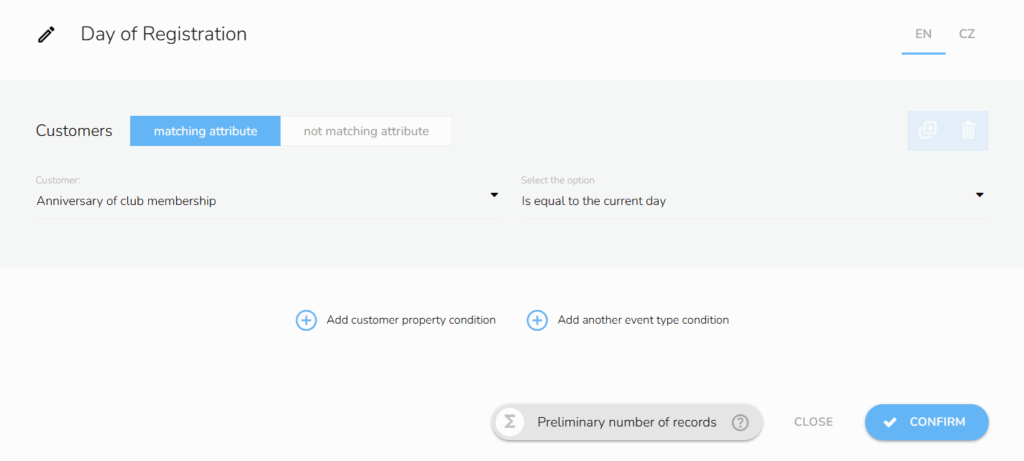
Immediately after, we will include the customer attribute condition “Anniversary of club membership” and set it to the current day. This will ensure that it is indeed the customer’s anniversary since every registered customer automatically enters the “Apprentice” status.
Next, we must verify whether the customer is a Savant member. We include a customer property condition.
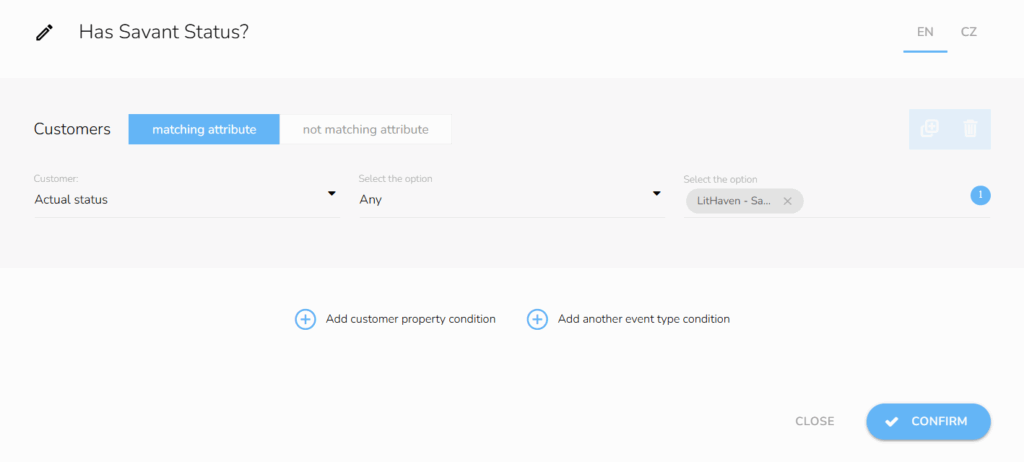
If the customer is not a Savant, they are an Apprentice and will receive the appropriate communication and reward. Before sending emails, include an Assign Voucher node and double-check whether you chose the correct reward in the respective branch.
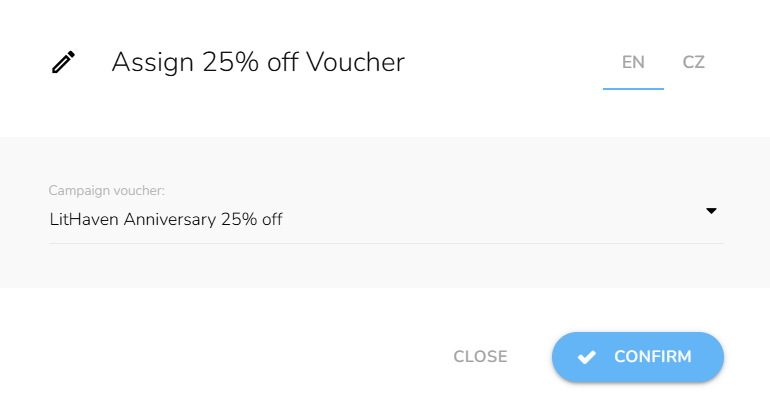
After distributing rewards, send the appropriate email to the respective branch. Then set up a 25-day waiting period. We do not have to set a “waiting for time range” since the workflow only triggers at 8 am.
Tip č. 2: If you do not want your emails sent on weekends, use the “Wait for time range” node to specify which days and hours should be excluded. Some brands send communications only on workdays to target customers during or immediately after work, while others also send on weekends during customers’ free time.
Now, we will set a customer event condition for each branch to determine whether a customer has redeemed the voucher after 25 days. Use the relative period type and set it to 25 days to count only the time since the voucher assignment. The safest way is to use the “Applying a voucher” event type and choose the relevant voucher from the drop-down menu.
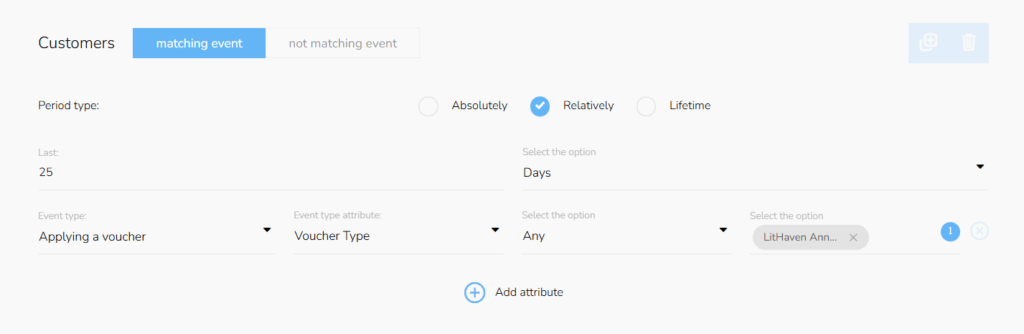
If the customer does not buy, we will send the “LitHaven Anniversary Reminder” email to each branch. Afterward, we will follow the same process, but set the waiting period to four days. Don’t forget to set the same relative period type in the conditions settings.
If the customers still don’t buy, we will send both the “LitHaven Anniversary Last Chance” email and the SMS we designed earlier.
With the last pair of messages, we will conclude the workflow. See you next year!
SAVE TIME AND MONEY WITH CARECLOUD AUTOMATIONS
We successfully automated anniversary rewards in a few hours with a short automation. These automations build customers’ loyalty, CLV, and purchase frequency. CareCloud data shows that, on average, 24% of customers redeem these rewards.
Retention marketing depends on automation and personalized communication. This tutorial showed only a fraction of what our platform is capable of. Create personalized campaigns, your own loyalty programs, or complex omnichannel experiences. We are capable and more than happy to give you the tools you need.
DOPORUČENÉ
Aktuální
Boost average order value and retention rate with an automated Anniversary Reward.…
A/B testování pro doporučování rewardů Zavedli jsme nové možnosti postupné optimalizace...
Svět retailu se rychle mění a držet krok je dnes klíčové. Samoška je...
Budování zákaznické věrnosti je dnes větší výzvou než kdy dřív. Omnichannel věrnostní programy...
Na Retail in Detail 2025 jsem přednášel o tom, jaké nedostatky má zákaznická zkušenost...